
Microsoft
Being around for decades of innovation, Microsoft is an industry titan that focuses on transforming the working world as it goes. Supplying countless products and services used industry-wide, there is never a bad time to be up to date with Microsoft’s latest endeavours. As a Microsoft Gold Partner, Westwood Associates can make sure you’re never in the dark about anything Microsoft.

New Windows 11 Keyboard Shortcuts
Monday, 18 October 2021
Keyboard shortcuts are a quick and efficient way at being more productive whilst using your machine running Windows. Here are some of the new keyboard shortcuts you can take advantage of whilst running Windows 11 systems. Windows Key + A As Microsoft has
- Published in Microsoft, Microsoft How To Tutorials
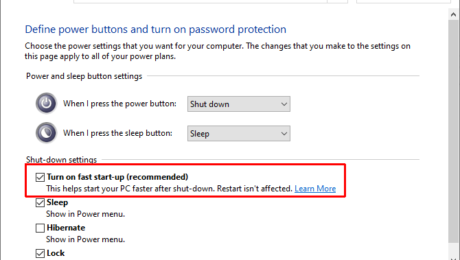
How to Enable Fast Start-up in Windows 11
Monday, 18 October 2021
Turn On or Off Fast Start-up in Windows 11 Fast Start-up on Windows 11 allows your computer to start up faster after a shutdown. A lot of Windows 11 systems may come with Fast Start-up already enabled by default. However if you want to turn
- Published in Microsoft, Microsoft How To Tutorials
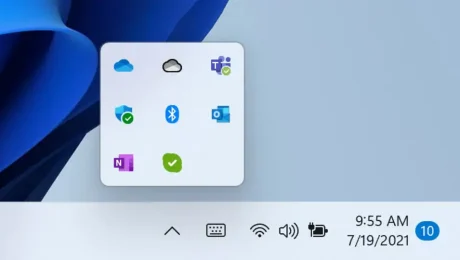
How to Customise your Taskbar Overflow Corner in Windows 11
Monday, 18 October 2021
How to Hide or Show icons to the Taskbar Corner Overflow The Taskbar Corner Overflow is a feature of Windows 11 that showcases hidden notification icons for apps. The icons in the Taskbar Corner Overflow can be hidden or shown according to your
- Published in Microsoft, Microsoft How To Tutorials
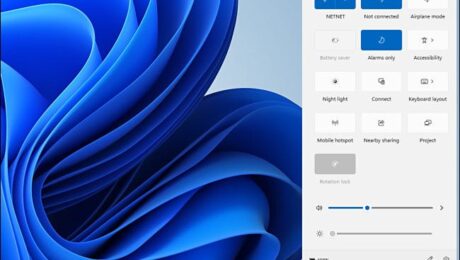
How to navigate Windows 11 Quick Settings
Monday, 18 October 2021
How to open Quick Settings Quick settings can be found in the bottom right corner of your taskbar. There are 2 different ways of opening and accessing the quick start panel. Option 1 You can use a keyboard shortcut to open the panel… Press ‘Windows
- Published in Microsoft, Microsoft How To Tutorials
Windows 11 What’s New?
Wednesday, 13 October 2021
What you can expect from updating to Windows 11 Microsoft’s latest software update, Windows 11, is built on the same foundations as its predecessor Windows 10, making for a smooth and seamless transition between the two. The latest update also offers users with a lot they are already familiar with, if it’s not broken then
- Published in Microsoft
