
Microsoft
Being around for decades of innovation, Microsoft is an industry titan that focuses on transforming the working world as it goes. Supplying countless products and services used industry-wide, there is never a bad time to be up to date with Microsoft’s latest endeavours. As a Microsoft Gold Partner, Westwood Associates can make sure you’re never in the dark about anything Microsoft.

New Microsoft 365 Pricing Update
Monday, 17 January 2022
Recently Microsoft has announced changes to its pricing for Microsoft 365, becoming the first substantial pricing update since Office 365 was released approximately a decade ago. This update in pricing reflects the increasing value Microsoft continues to aid their customers with across the past 10 years. Microsoft have innovated, supplied and delivered over the past
- Published in Microsoft
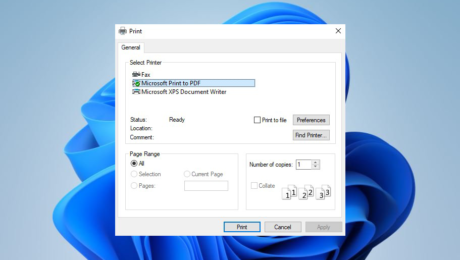
How to convert Txt files to PDF in Windows 11
Tuesday, 26 October 2021
PDF is a file format that has become more and more popular over the years. This is because users can display documents as PDFs without having to install a document editor. Windows 11 now supports converting Txt files to PDF files. However, this feature is hidden and can be hard to find if you don’t
- Published in Microsoft, Microsoft How To Tutorials
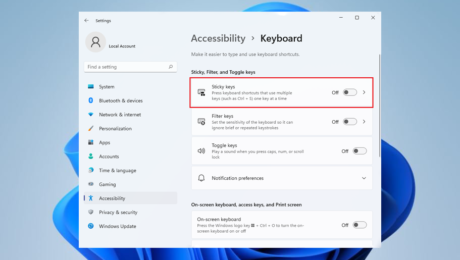
How to Enable or Disable Sticky Keys in Windows 11
Tuesday, 26 October 2021
What is ‘Sticky Keys’? Stick keys is a shortcut, designed for people who face problems pressing multiple keys at once. The main use of sticky keys is to mimic the use of the shift key while using keyboard shortcuts. For example with sticky keys, the user is able to press the required buttons one at
- Published in Microsoft, Microsoft How To Tutorials
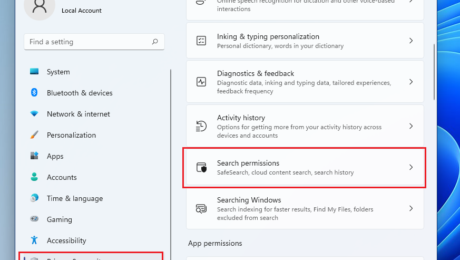
How to adjust Windows 11 search permission results
Tuesday, 26 October 2021
When searching on Windows 11 you can use the start menu and type any keyword, doing so Windows 11 will automatically search both the device and online for your request. Additionally there are of course settings for search permissions and different features you can enable and disable. Here is what you can find in the
- Published in Microsoft, Microsoft How To Tutorials

How to use Online Speech Recognition in Windows 11
Tuesday, 26 October 2021
A feature of Windows 11 is its ability to use online speech recognition to transfer speeches to Microsoft systems, this can be used to improve your Windows 11 device for a better accuracy rate with speech’s meanings. This feature can be turned on or off simply enough. However, once disabled you won’t be able to
- Published in Microsoft, Microsoft How To Tutorials
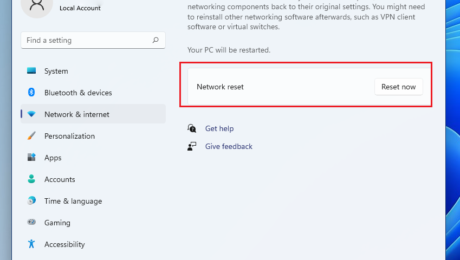
How to Reset Network in Windows 11
Tuesday, 26 October 2021
If you’ve ever ran into a networking error you’ll know you receive a yellow exclamation on the network icon in the right corner of the taskbar in Windows 11. If you’re then unable to reconnect, and have other devices working on the same network, there is an issue with your network on Windows 11. If
- Published in Microsoft, Microsoft How To Tutorials

How to make Taskbar Icons Bigger in Windows 11
Monday, 25 October 2021
Windows 11 taskbar icons are quite smaller under a 2k resolution, and often you have to be careful you click the correct one. However, there is a method you can use in order to make your taskbar icons larger, here’s how… Make Windows 11 Taskbar Icons Larger: First press ‘Windows Key’, in the search type
- Published in Microsoft, Microsoft How To Tutorials

How to Toggle the Details Panel in File Explorer in Windows 11
Monday, 25 October 2021
How to Show or Hide the Details Pane in File Explorer in Windows 11 Use this step-by-step guide to learn how you can hide or show the details pane for file explorer in Windows 11. Firstly open File Explorer Along the tab at the top, find ‘View’ and click on it From the drop-down list,
- Published in Microsoft, Microsoft How To Tutorials
How to add Chat Button to Taskbar in Windows 11
Monday, 25 October 2021
Here’s how… If you find yourself wanting to customise your newly updated Windows 11 taskbar for your own personal preference, here’s how you can remove or add the chat button. Just follow these simple instructions. Firstly open settings, you can use shortcut ‘Windows Key’ + ‘I’ to do so Next select Personalisation in the list
- Published in Microsoft, Microsoft How To Tutorials
